Clear steps.
Smarter outreach.
As part of the Outreach Bot System, I designed the Bot Builder: a clear 4-step setup flow and a streamlined list view built to support our campaign managers.
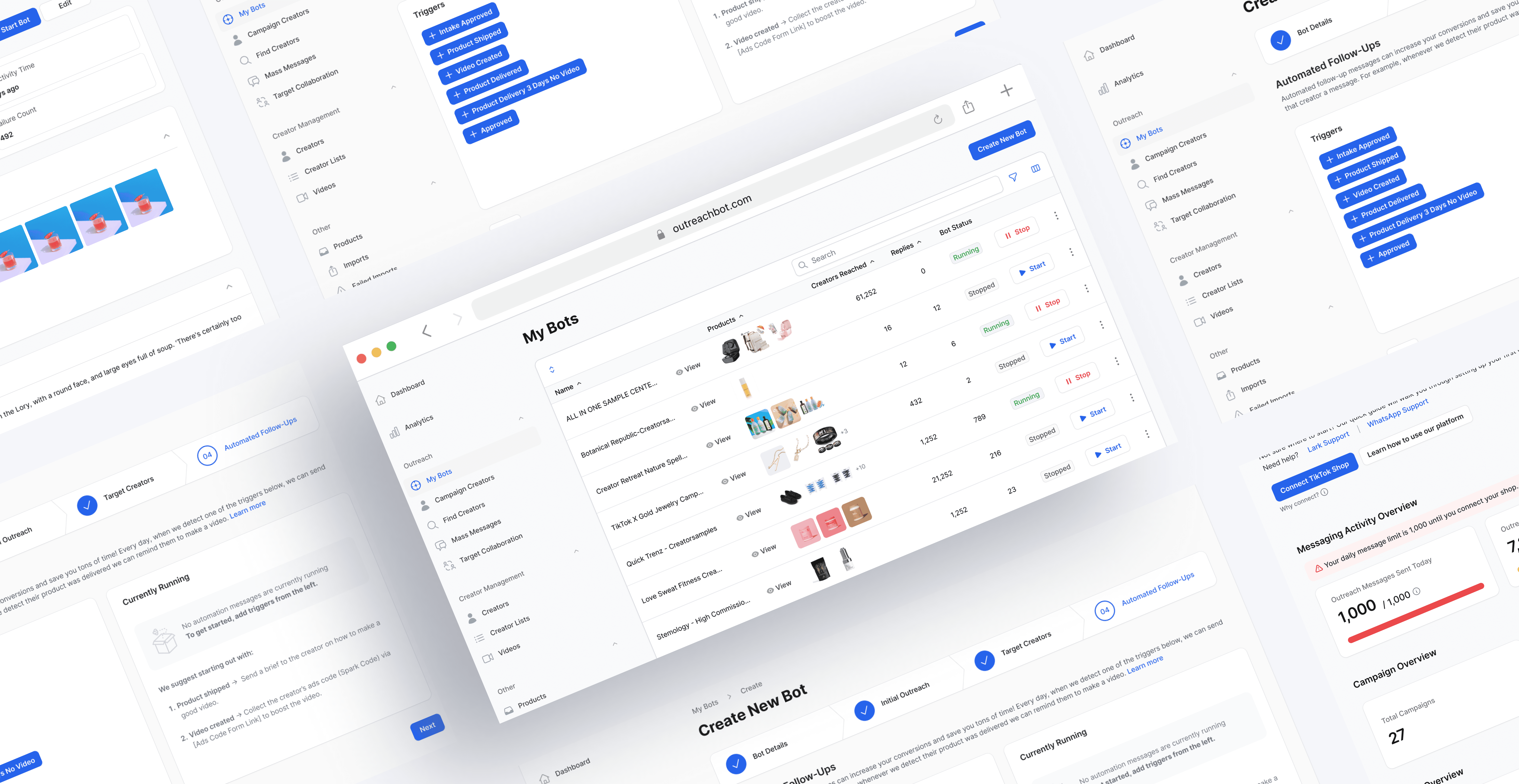
The impact
~40% fewer missed follow-ups.
~30% reduction in daily tracking time.
Scalable outreach control.
Let’s start with the context 🧐
Outlandish is a TikTok-first creator commerce agency powering large-scale brand campaigns and managing 1,000+ creator interactions each month.
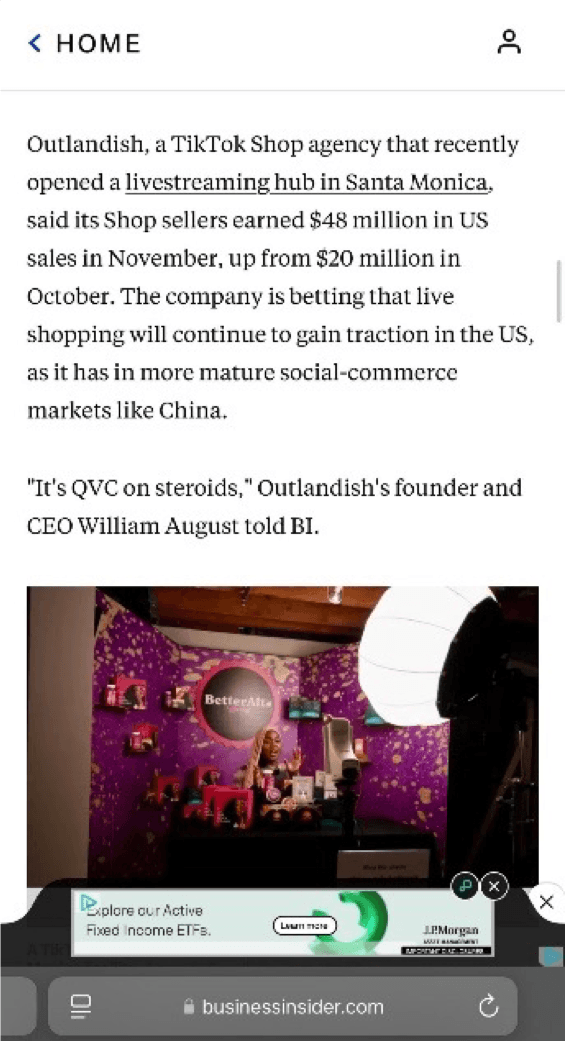


1,000+ creators a week. Half the day lost to replies. All manual.


Digging into the real problems
I interviewed our campaign managers to understand why the outreach process was breaking down. Their feedback revealed two core issues:
No single place to see outreach activity
No automated follow-ups

We don’t have a single place that shows what’s sent, who replied, or what needs follow-up
Alison · Campaign Manager

Our outreach process is scattered across tools, there’s no single view of the entire workflow
Kenisha · Campaign Manager

We keep rewriting the same follow-up messages every week... it takes too much time
Monica · Campaign Manager

Switching between tools makes it easy to miss follow-ups
Sherry · Campaign Manager
🚨
problem
Outreach was scattered and manual, leaving teams unable to see what was happening or keep up with follow-ups.
To solve this, we asked ourselves: How might we help teams understand what’s happening and handle follow-ups automatically?
Design goal · 01
Create a clear,
centralized overview
Create a clear, centralized overview
Give teams one place to understand all outreach activity
Make it easy to see what’s sent, who replied, and what needs follow-up
🚫 Constraints
Short timeline → minimal UI
complexityFilament-based UI → table-first layout
Limited engineering bandwidth → no advanced state logic

Design goal · 02
Make follow-ups effortless
and consistent
Create a clear, centralized overview
Replace repetitive manual follow-up writing with reusable rules/messages
Make follow-ups consistent so teams don’t miss replies
🚫 Constraints
TikTok API limits automation
No backend automation engine → limited to basic trigger logic
Short MVP timeline → no complex automation
❇️
solution
A single place for clear outreach and effortless follow-ups
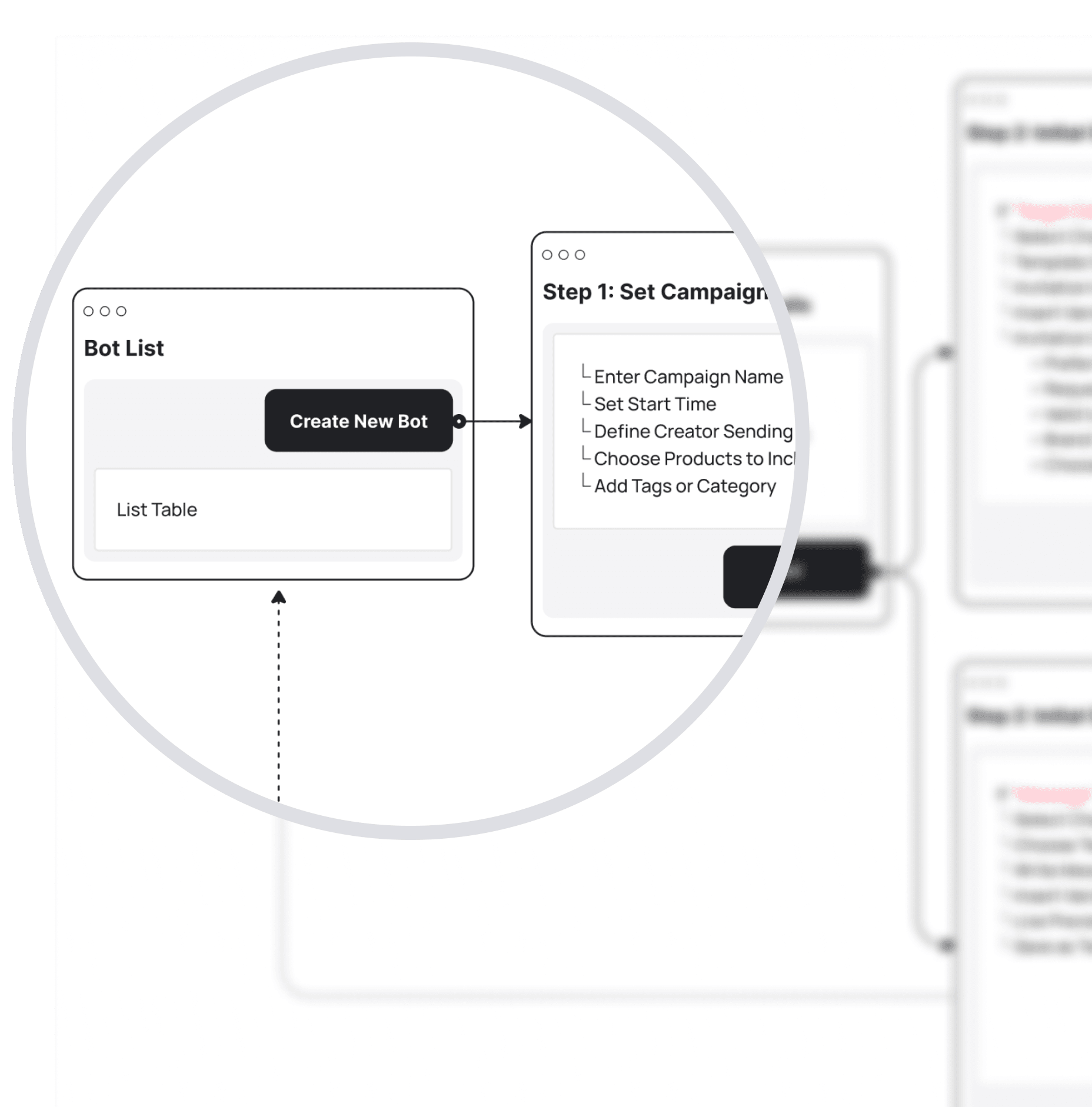
Outreach Bot builder
List → Create new bot → Wizard(step1-4) → Confirm


Here’s how I arrived at this solution 🤓
🔍
DESIGN EXPLORATION · 1
Designing a clear bot view
Improving scannability and control with a table-based bot list
Starting with an IA
analysis
Starting with an IA analysis
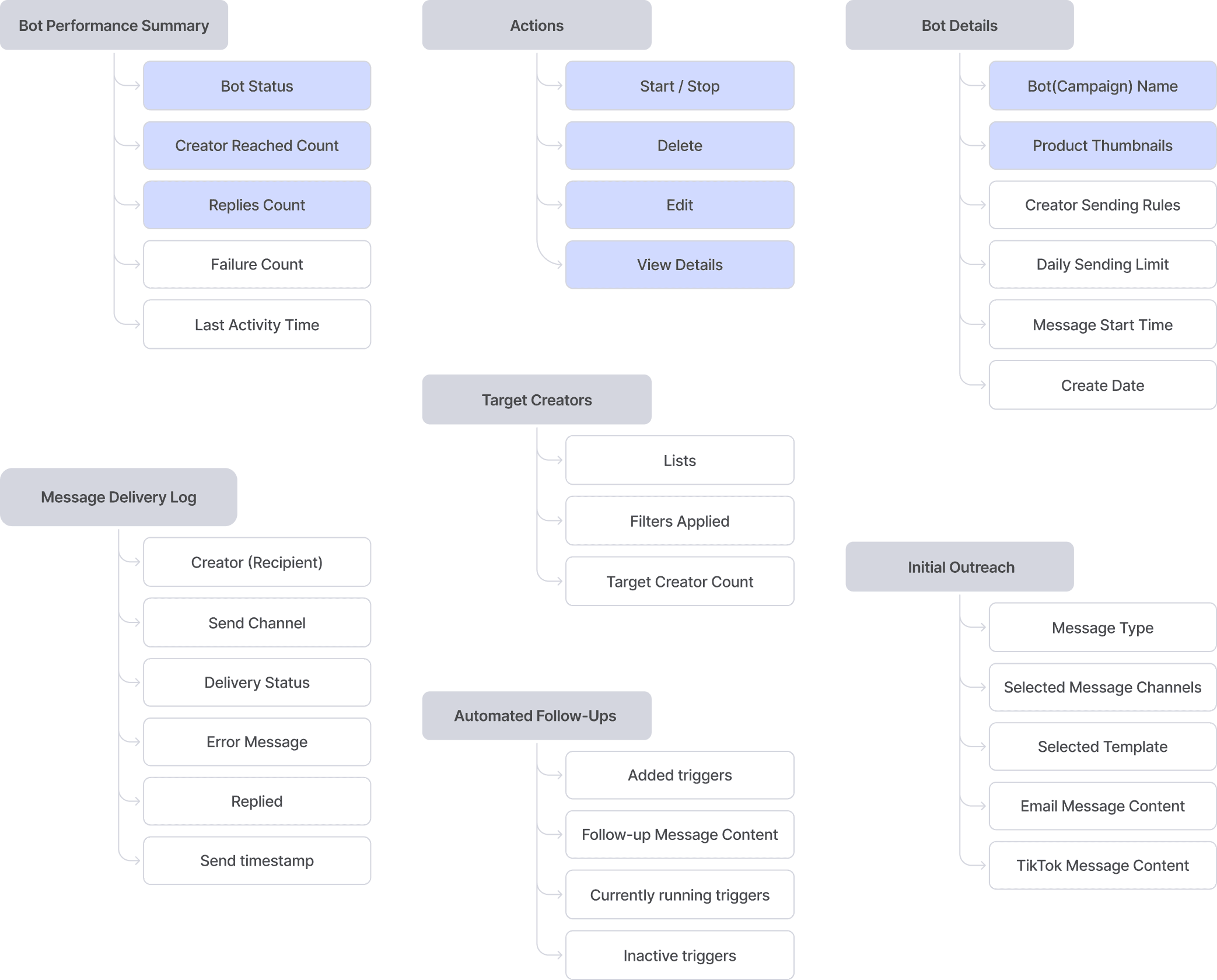
I mapped all possible bot signals to identify what managers need to see instantly.
Primary signals (for daily decisions)
Actions
Context signals (to identify the bot)
1. Optimizing for high-density data: choosing table over card
A. Card layout
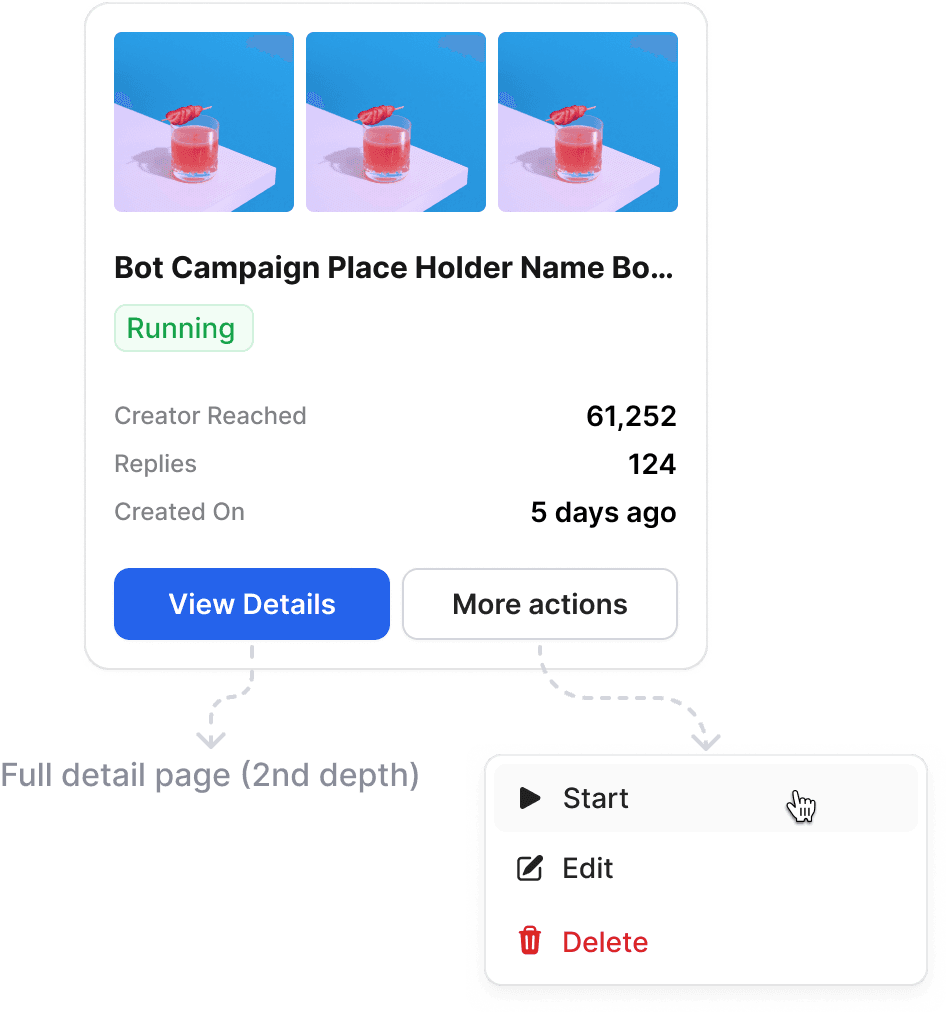
More visual, richer context
Hard to scan across many bots
Not supported by Filament (no grid layout)
💡Cards emphasize contextual richness
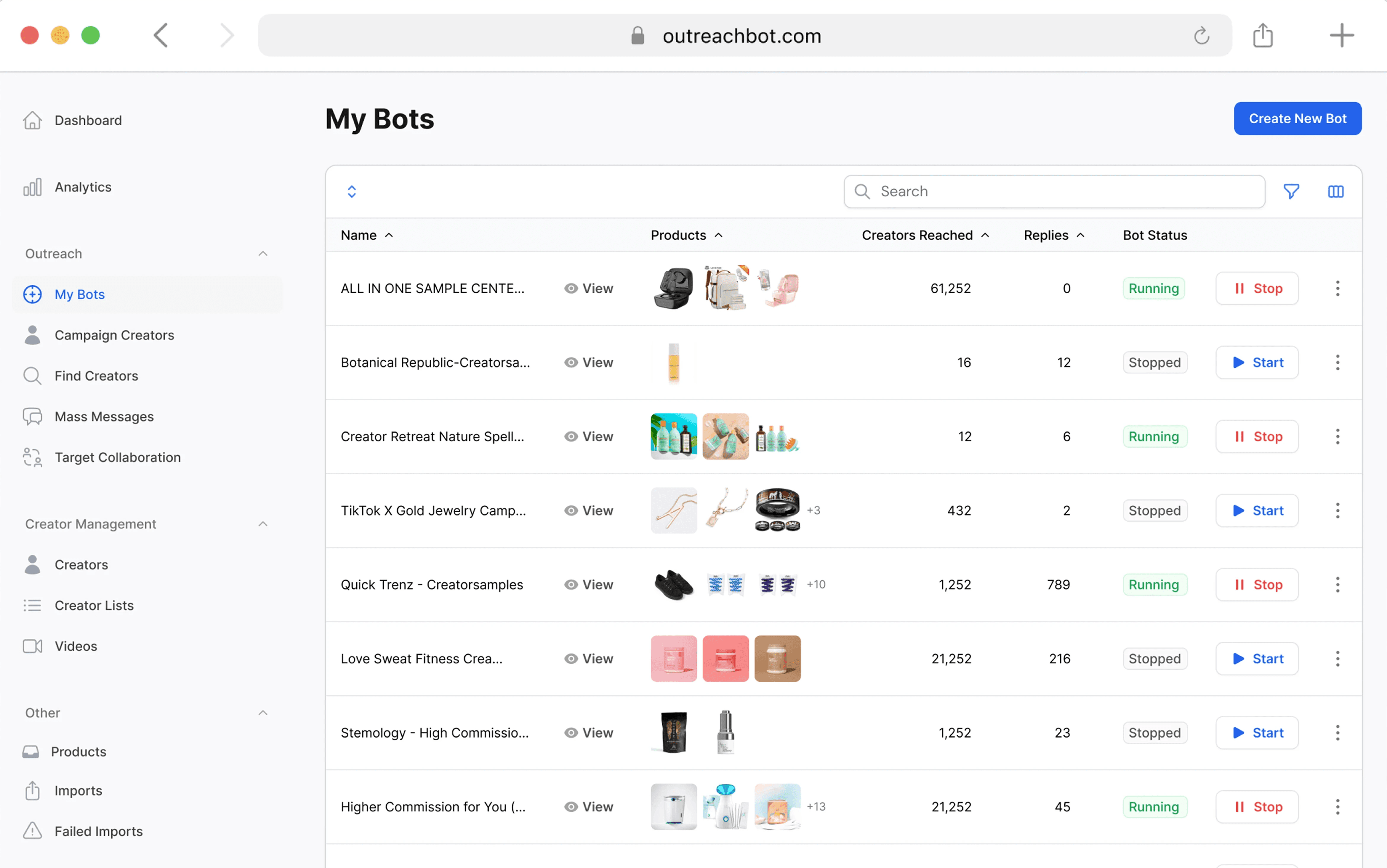
B. Table layout(chosen)

Compact, scannable, scalable
Works with Filament’s native UI
Easy row navigation + clear primary signals
💡Tables emphasize scannability
2. Empowering users with direct control: from monitoring to action
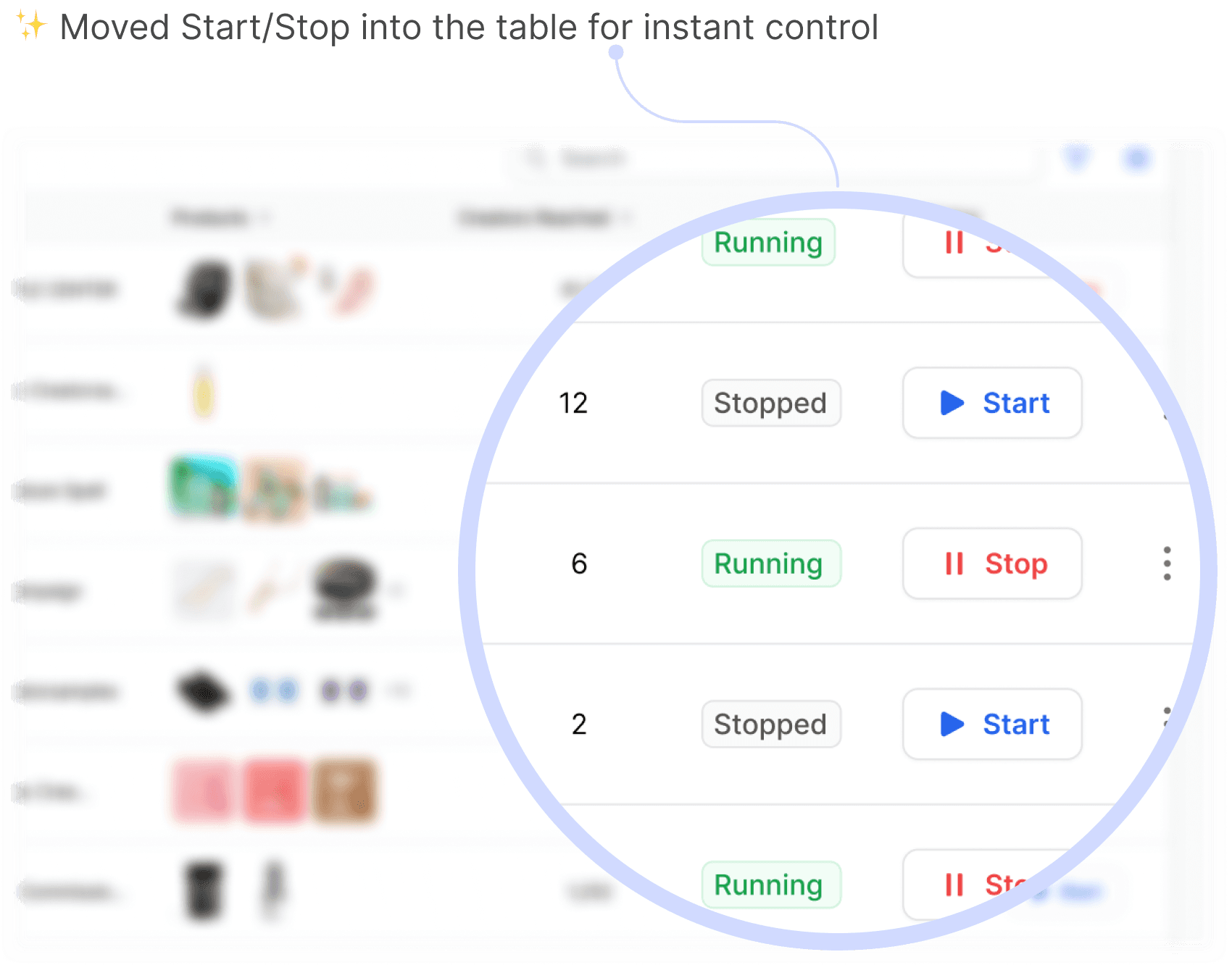

bot LIST VIEW
Instant visibility. Instant control.
🔍
DESIGN EXPLORATION · 2
Designing follow-up automation
Reducing setup complexity with visible presets
Most automation platforms rely on custom triggers to support complex, multi-step workflows

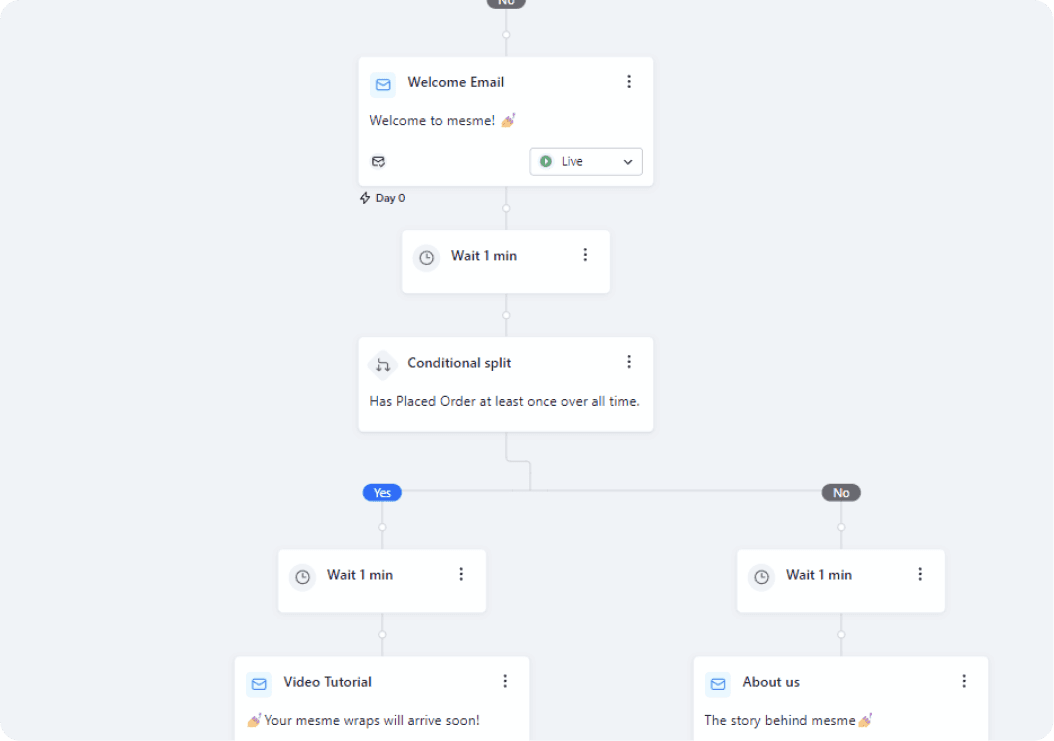
Visual flow builder with conditional splits

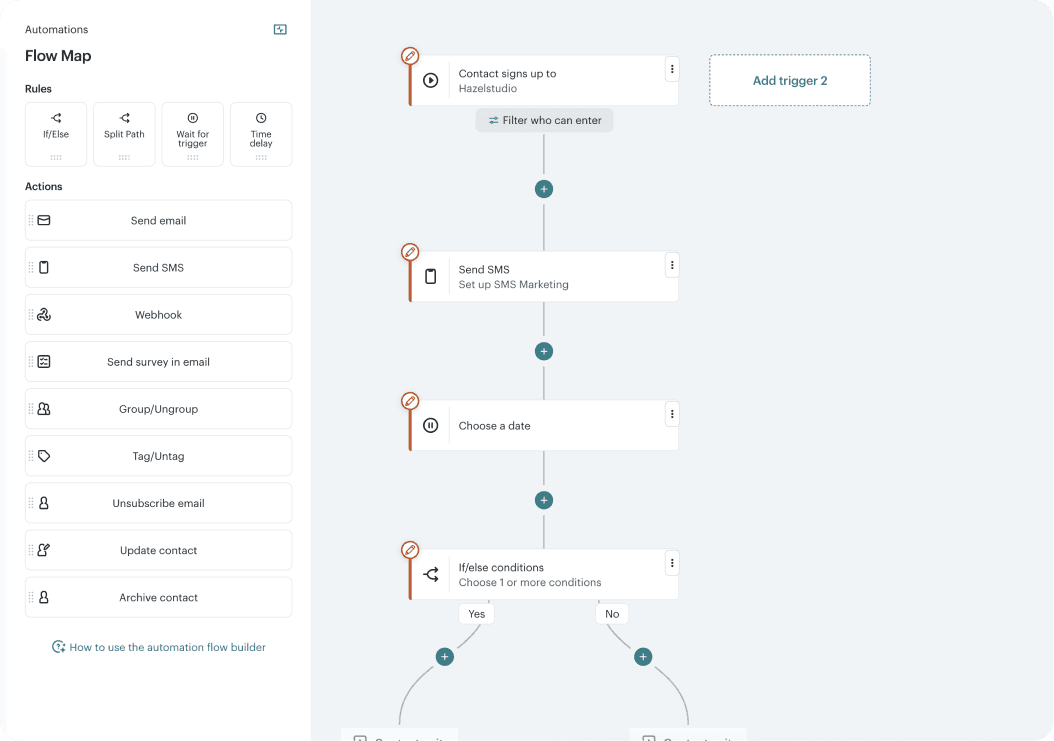
Rule-based trigger automations

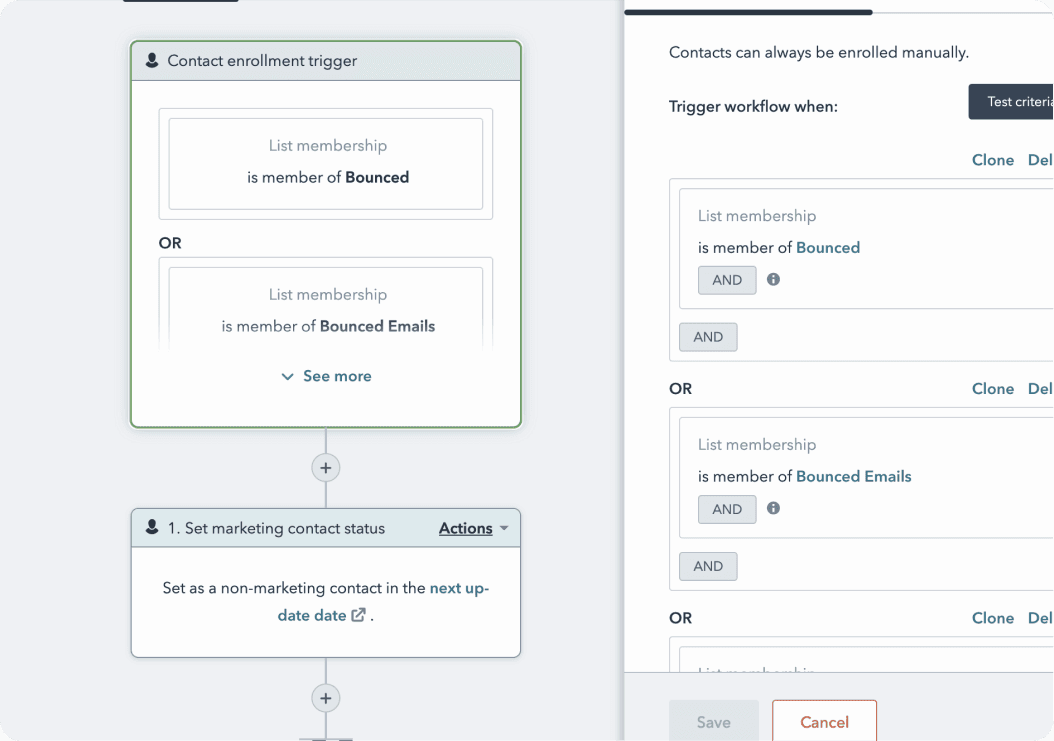
Multi-step workflows using nested logic blocks
However, a complex workflow builder didn’t fit our reality.
We needed something simple, reliable, and fast to ship.
However, a complex workflow builder didn’t fit our reality. We needed something simple, reliable, and fast to ship.

Then, how might we
create preset triggers for our use cases?
Then, how might we
create preset triggers for our use cases?
Here are the top use cases that campaign managers repeatedly needed automation for
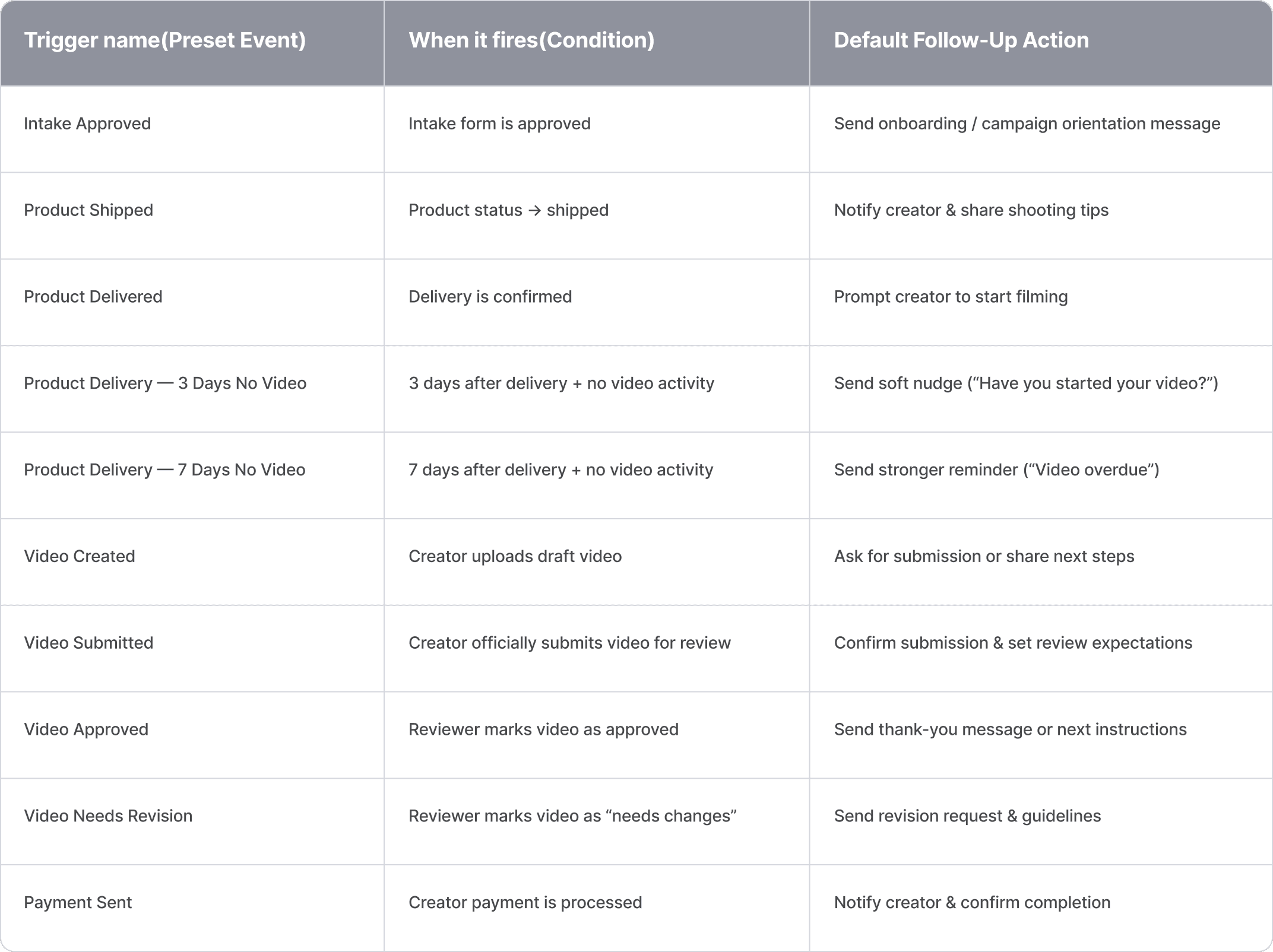
1. Reducing setup complexity with visible presets
A. Modal picker
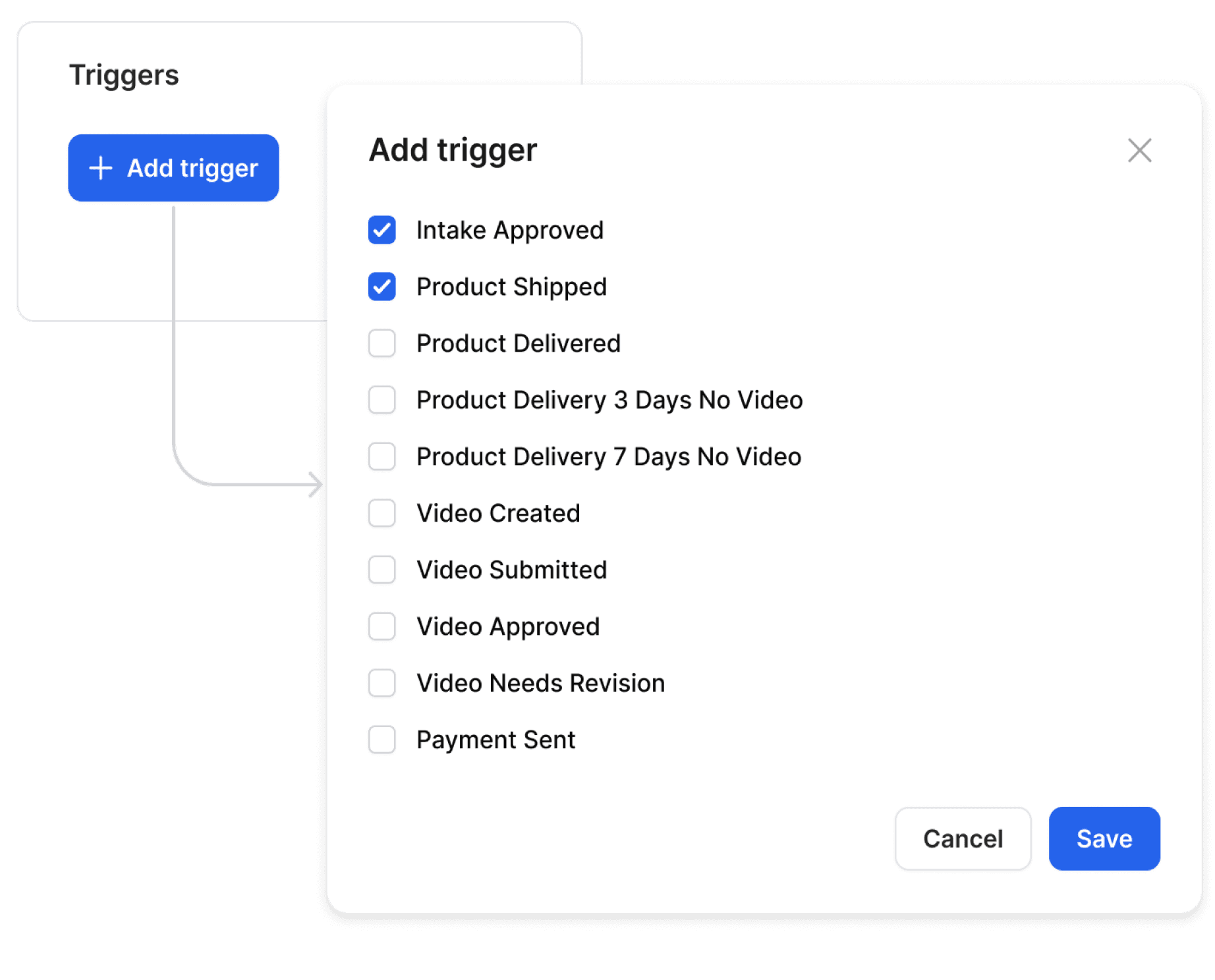
Good for large sets of options
Slow repeated open/close
Heavy for MVP
B. Dropdown

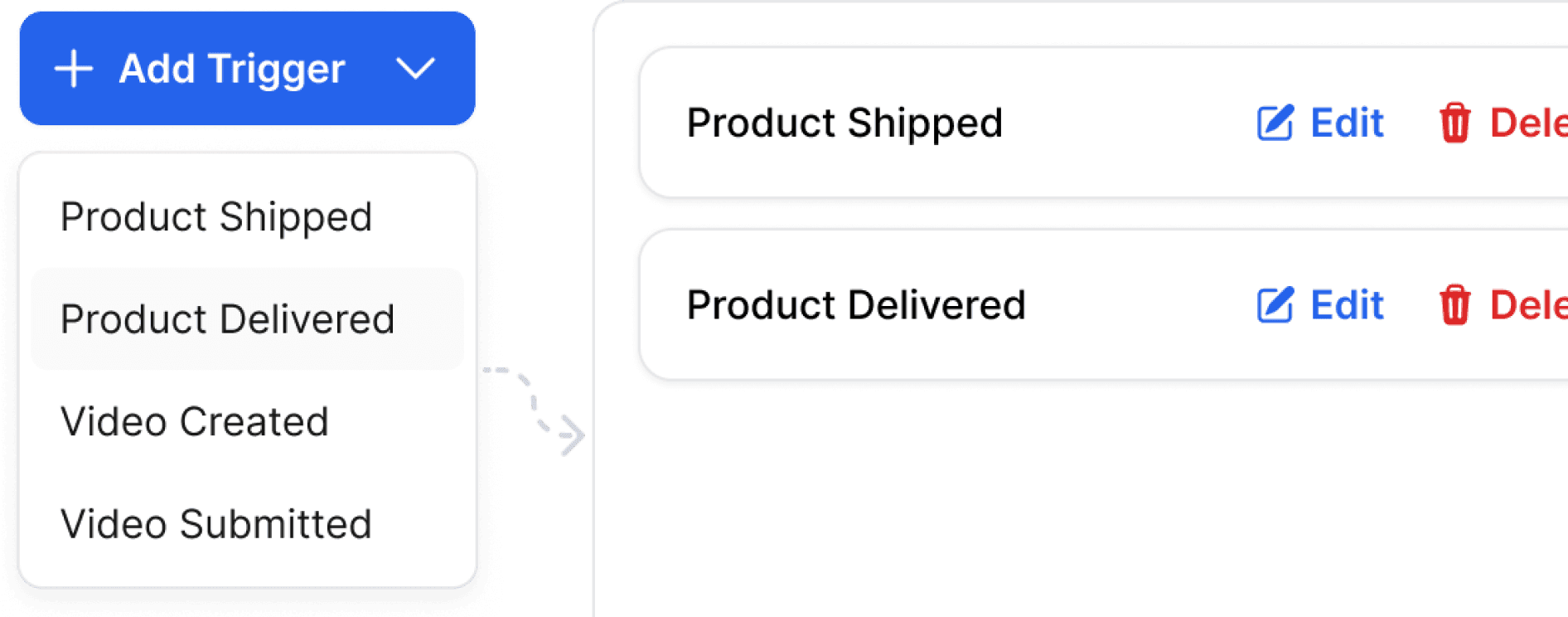
Clean but low visibility
Extra steps needed
Multi-select chips get messy
C. Preset buttons (chosen)
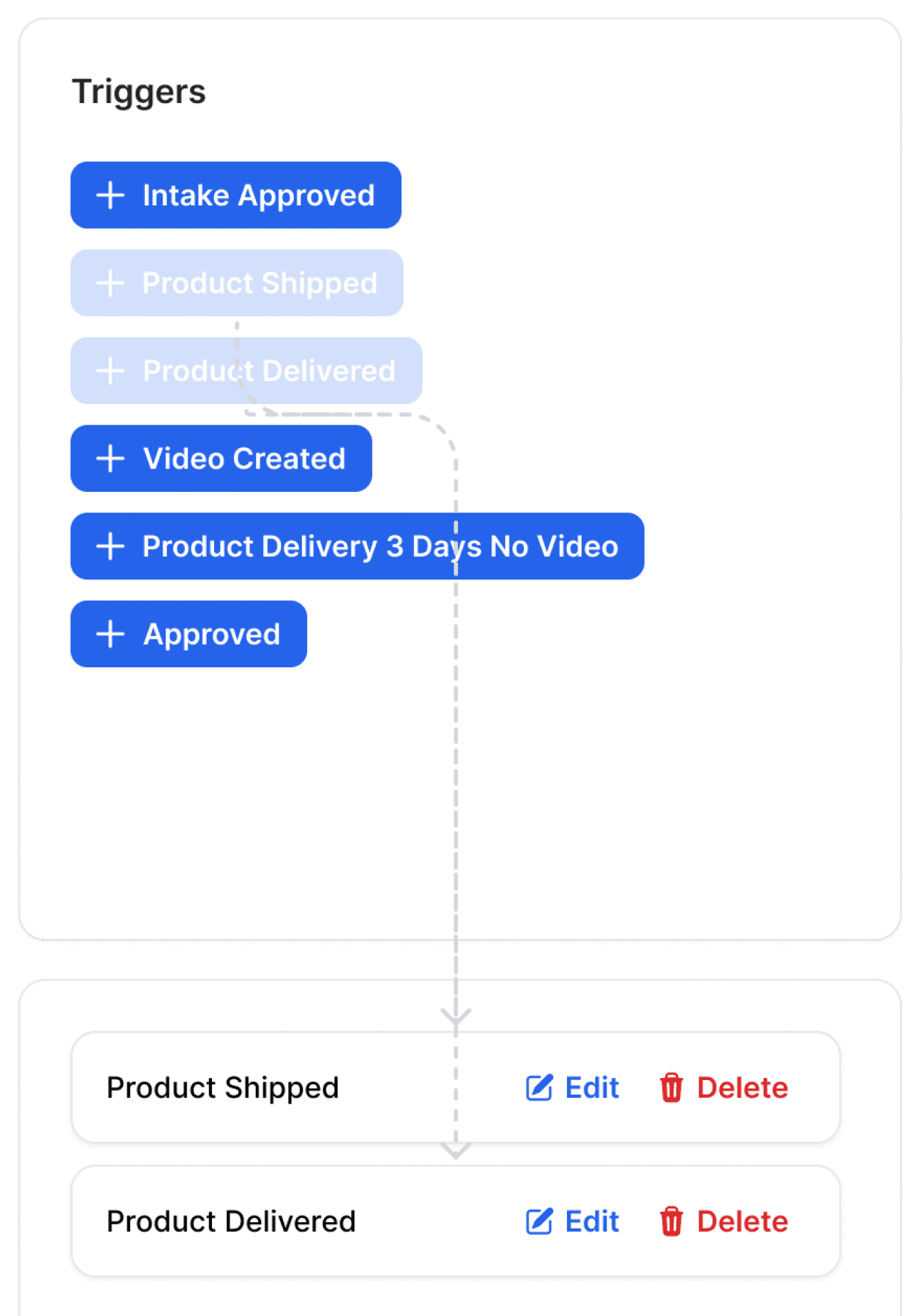
Always visible
One-click setup
Fast + lightweight (best for MVP)
Creates structured data → AI-friendly
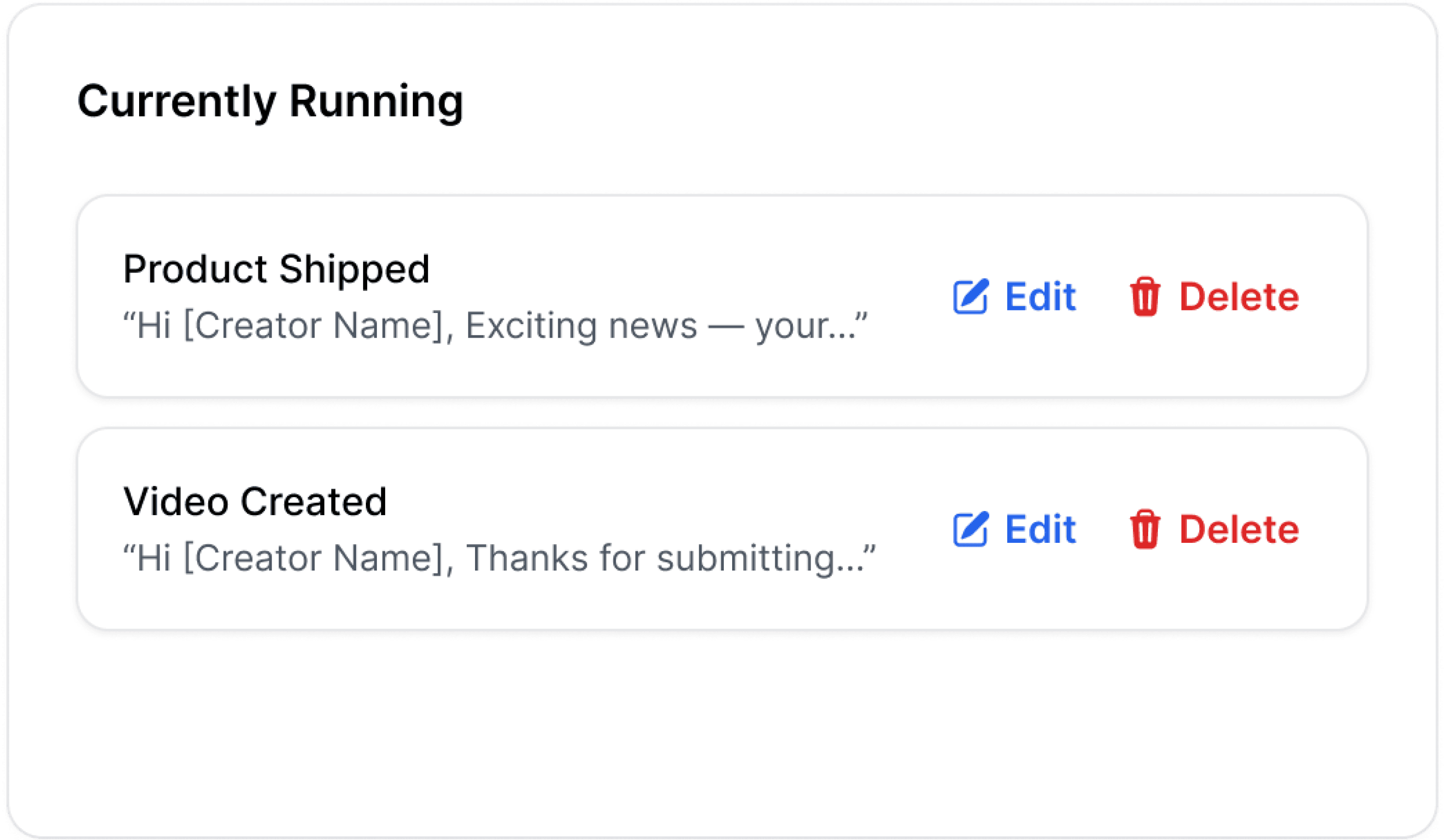
2. Preventing costly mistakes: making automation safer before it goes wrong
✨ Instant undo makes interactions safer and reduces mistakes

✨ Auto-message previews show exactly what will be sent

✨ Dedicated running section makes active triggers easy to see
3. Reducing anxiety in automation with guidance and personalization
✨ Empty-state guidance shows users how to get started
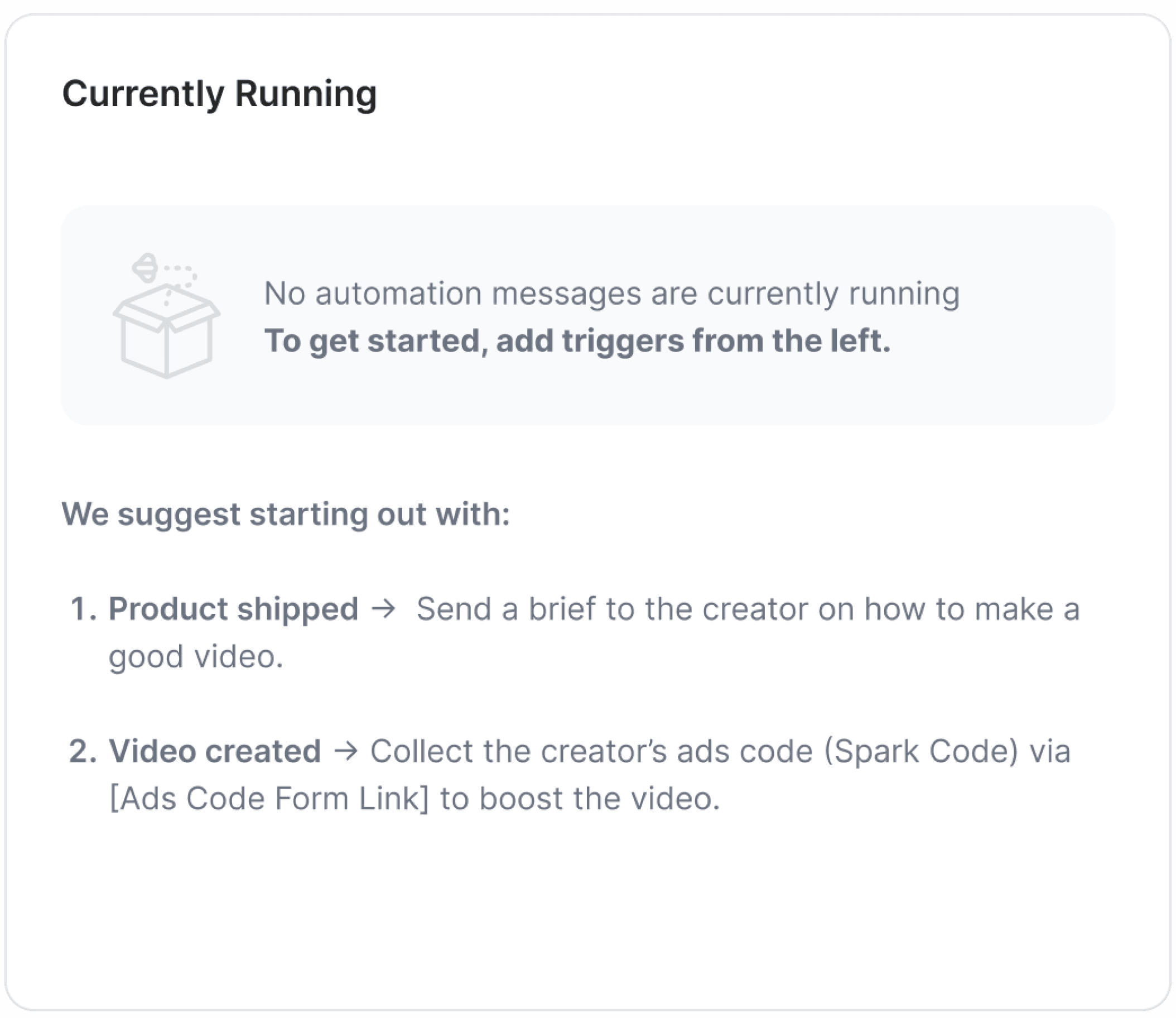
✨ Variables make automated messages feel more personal
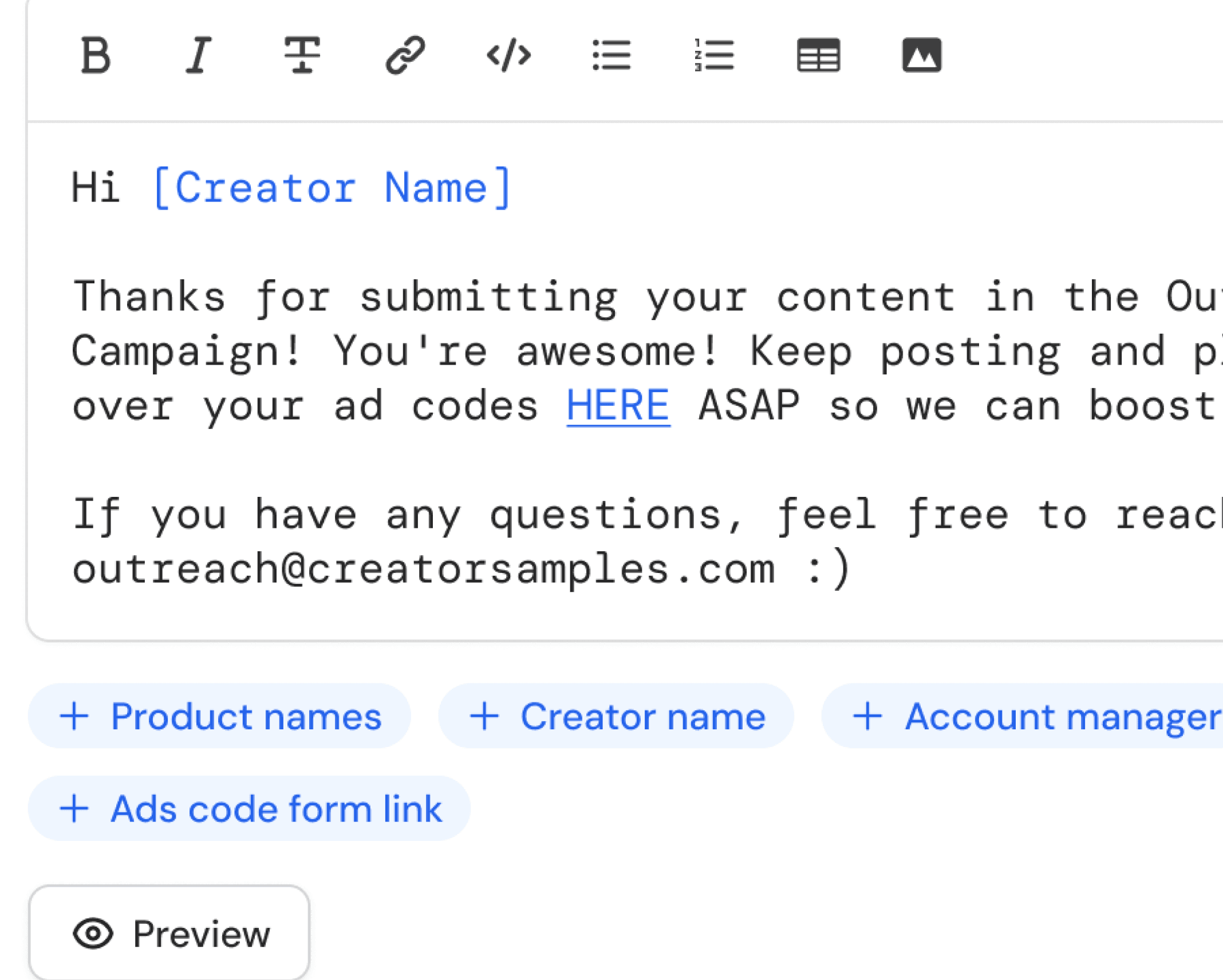
4 step Wizard
Set once. Follow up automatically.
Future direction & outcome
Building a scalable foundation for AI-driven follow-up automation
Building a scalable foundation for AI-driven follow-up automation
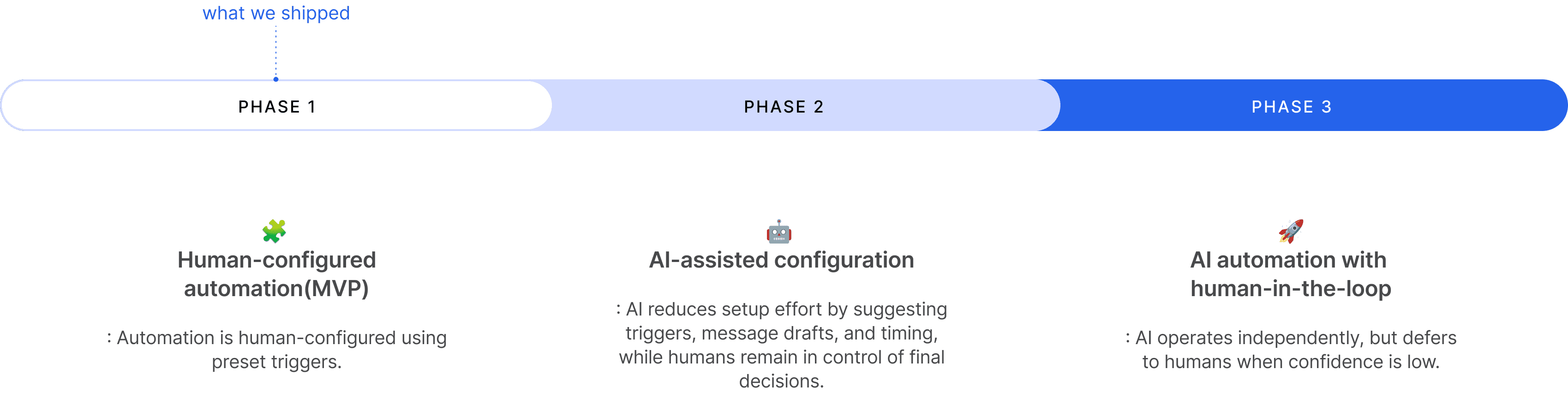
Explore human-in-the-loop automation →
Explore human-in-the-loop automation →
We turned a complex automation process into a fast, intuitive flow for users today, while giving the team a quicker ship path and a solid AI-ready foundation

40%
Fewer missed follow-ups
Teams no longer lose track of creator replies
30%
Less manual tracking time
Daily spreadsheet check-ins reduced significantly

From no structure to a clear setup
We introduced a preset trigger system where none existed before, giving managers a simple, reliable starting point for automation

Designed for MVP constraints
A 4-week timeline required reducing UX complexity to the essentials, which allowed us to ship quickly while keeping the underlying system extendable
AI-ready structure
By structuring automation as “when X happens, do Y,” we created clean, predictable data for future AI-recommended triggers
What I learned
Build for real use cases, not abstract flexibility
Focusing on the core workflows teams actually used led to a preset-based design that was faster to ship and more reliable than a fully flexible builde

Simple, structured inputs scale better
Using consistent preset triggers produced clean, predictable data
and made the system easier to automate, measure, and extend

Good design needs flexible infrastructure
Our tech stack limited how far interactions could scale. If rebuilt, I’d add a lightweight custom UI layer to support more advanced automation patterns