Clarity first.
Action next.
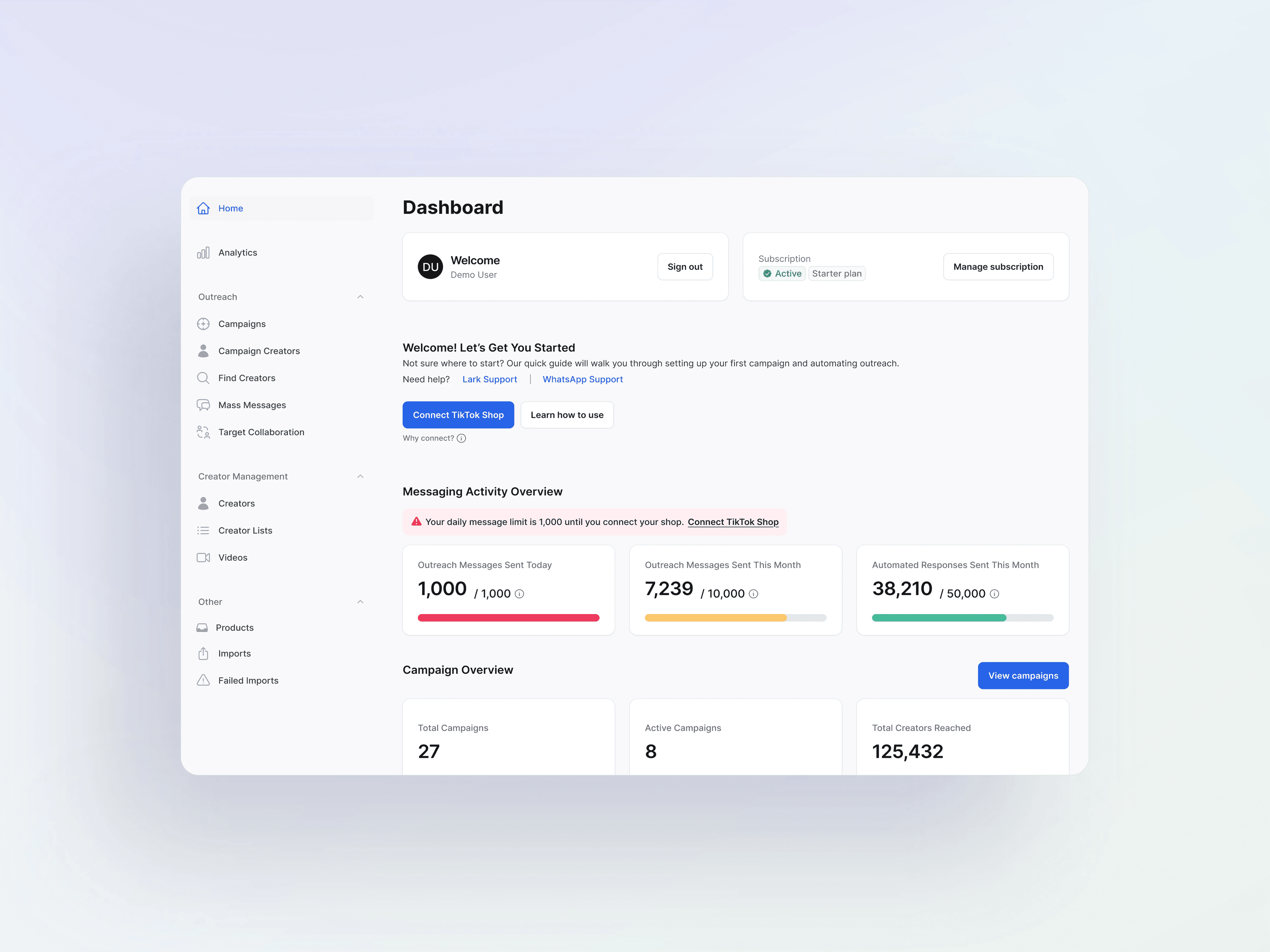
After launching the Bot Builder, I designed a dashboard that turns complex outreach systems into clear, actionable steps.
Let’s start with the problem👩🏻💻
Lack of a unified view
There was no place to see critical statuses or rules. Users couldn’t understand the system or know where to start.

I don’t know how my shop or plan status affects what I can do on the platform
Alison · Campaign Manager

I’m not sure why some features are available one day and limited the next
Kenisha · Campaign Manager

I want one place to understand my performance across sales, campaigns, and reach without jumping around
Monica · Campaign Manager

There’s no clear starting point. I don’t know what I’m supposed to do first.
Sherry · Brand-side creator manager
🚨
problem
Users didn’t know what was happening
or what they needed to do next
What was missing
The product had no surface that explained key system rules or guided users. Before the dashboard existed, users had to guess how the platform worked.
No home surface
No visibility into limits or tiers
No unified view of performance
No contextual next-step guidance
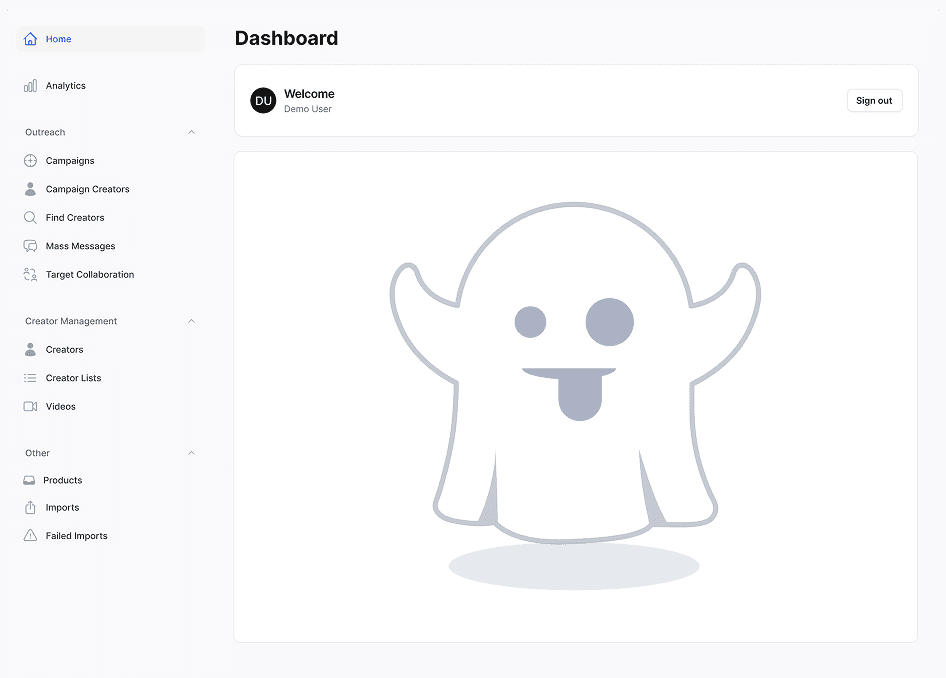
So… we need a dashboard
Then, what kind of dashboard do we need?
dEsign Requirement
The dashboard we need

1. clear system overview
All account states, limits, and performance surfaced in one unified view

2. explain rules & constraints
Make limits, tiers, and connection requirements understandable at a glance

3. guide next steps
Contextual prompts that help users activate and move forward
❇️
solution
A single home that surfaces system rules
and turns them into clear user actions
Here’s how I arrived at this solution 🤓
🔍
DESIGN EXPLORATION · 1
Structuring the dashboard for clarity
What do users need to see on the dashboard?
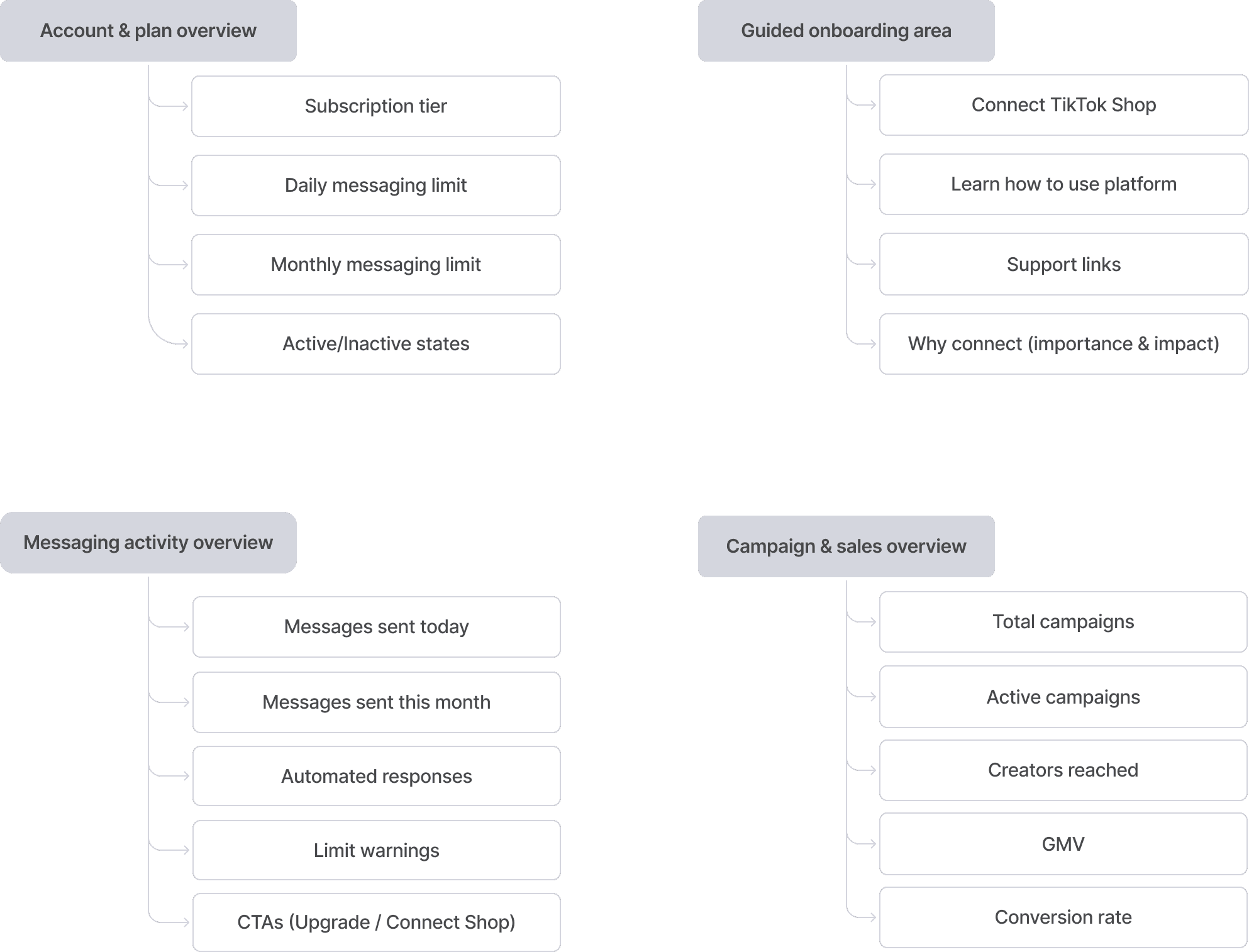
The dashboard must include 4 core surfaces:
Account & plan overview
Onboarding guidance
Messaging activity overview
Campaign & sales overview
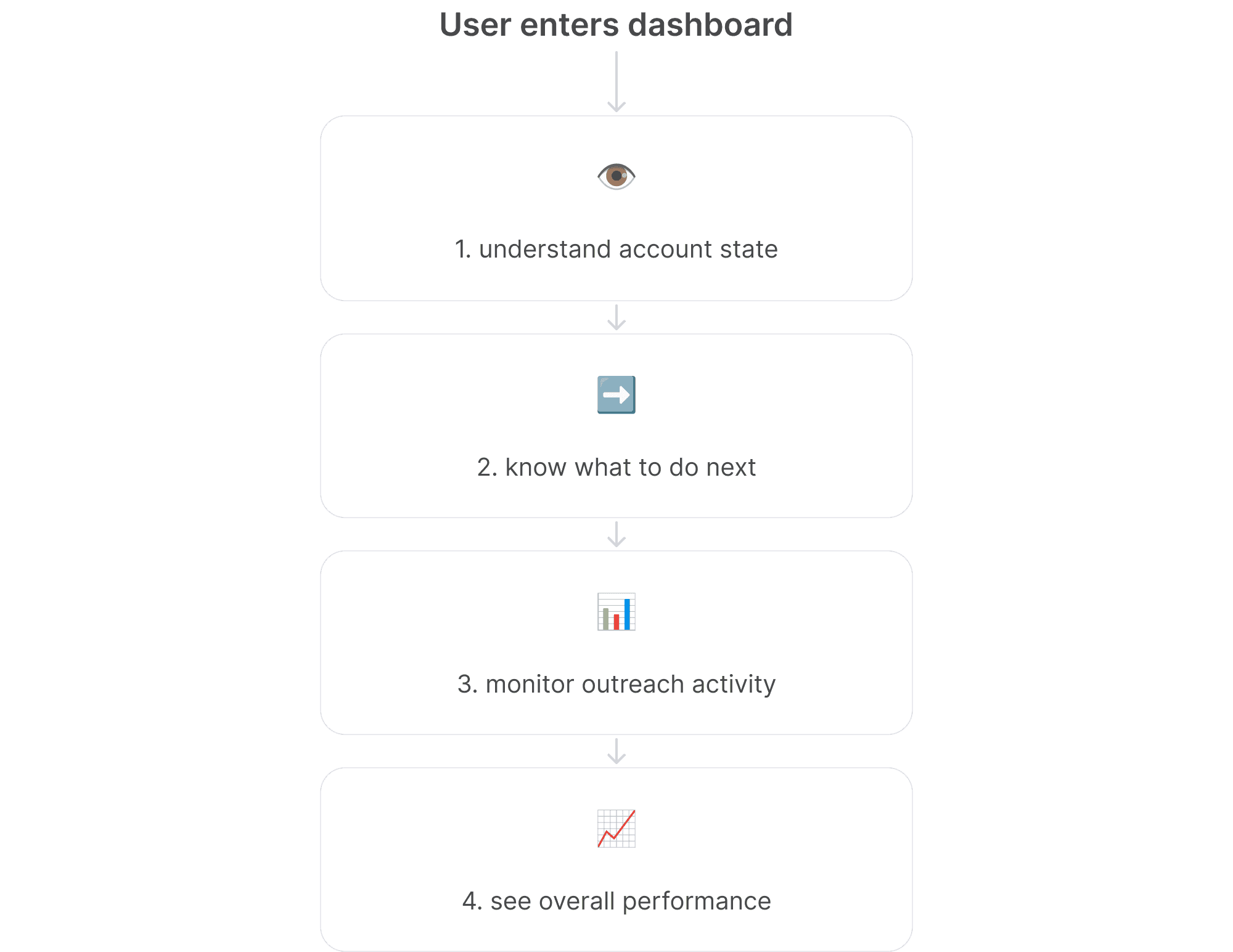
Understanding the user’s mental model
Users come to the dashboard with a predictable mental model: they want to understand their account, know what to do next, monitor activity, and see overall performance.
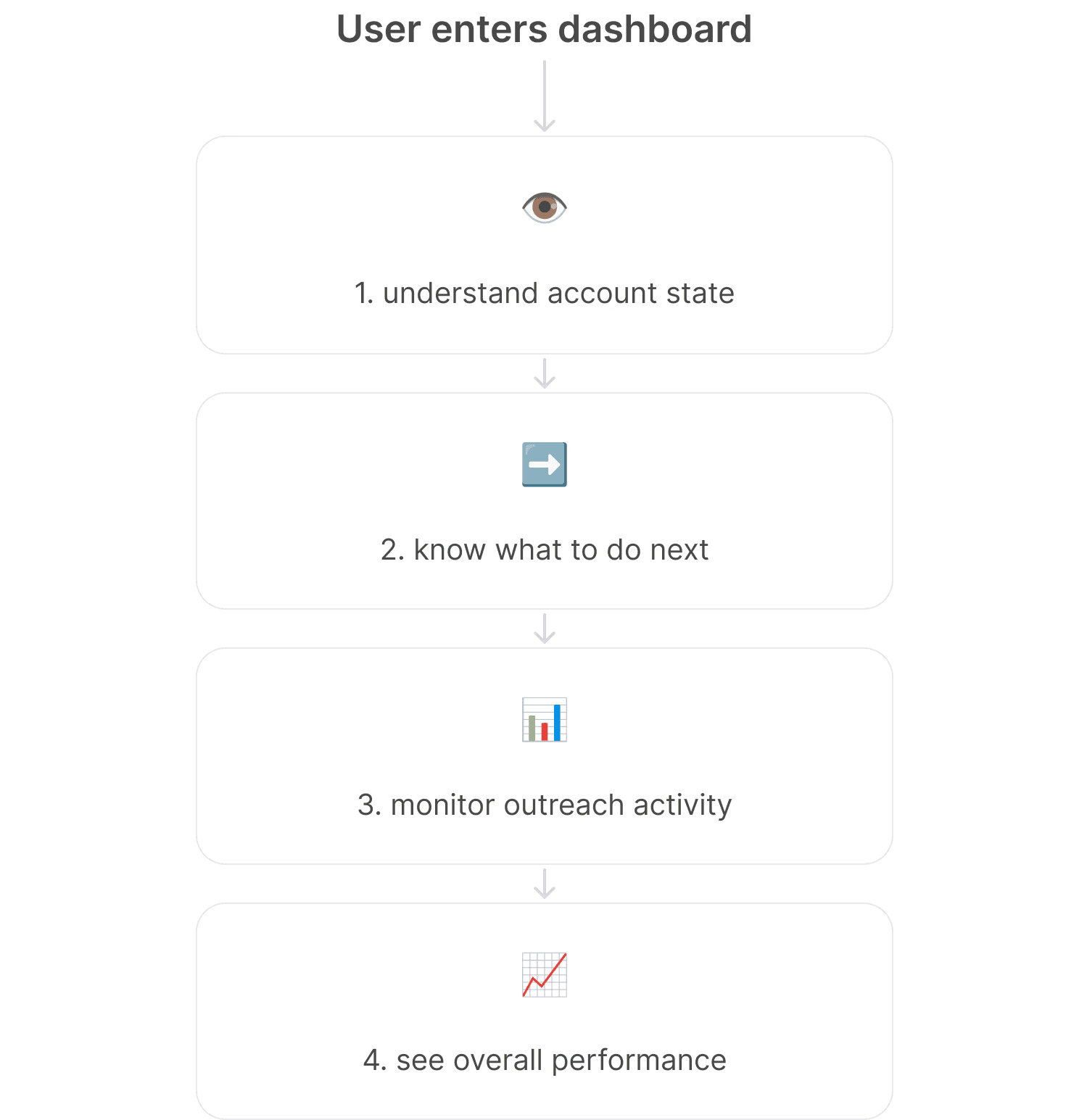
Aligning dashboard layout with user mental flow
A. Dashboard overview grid
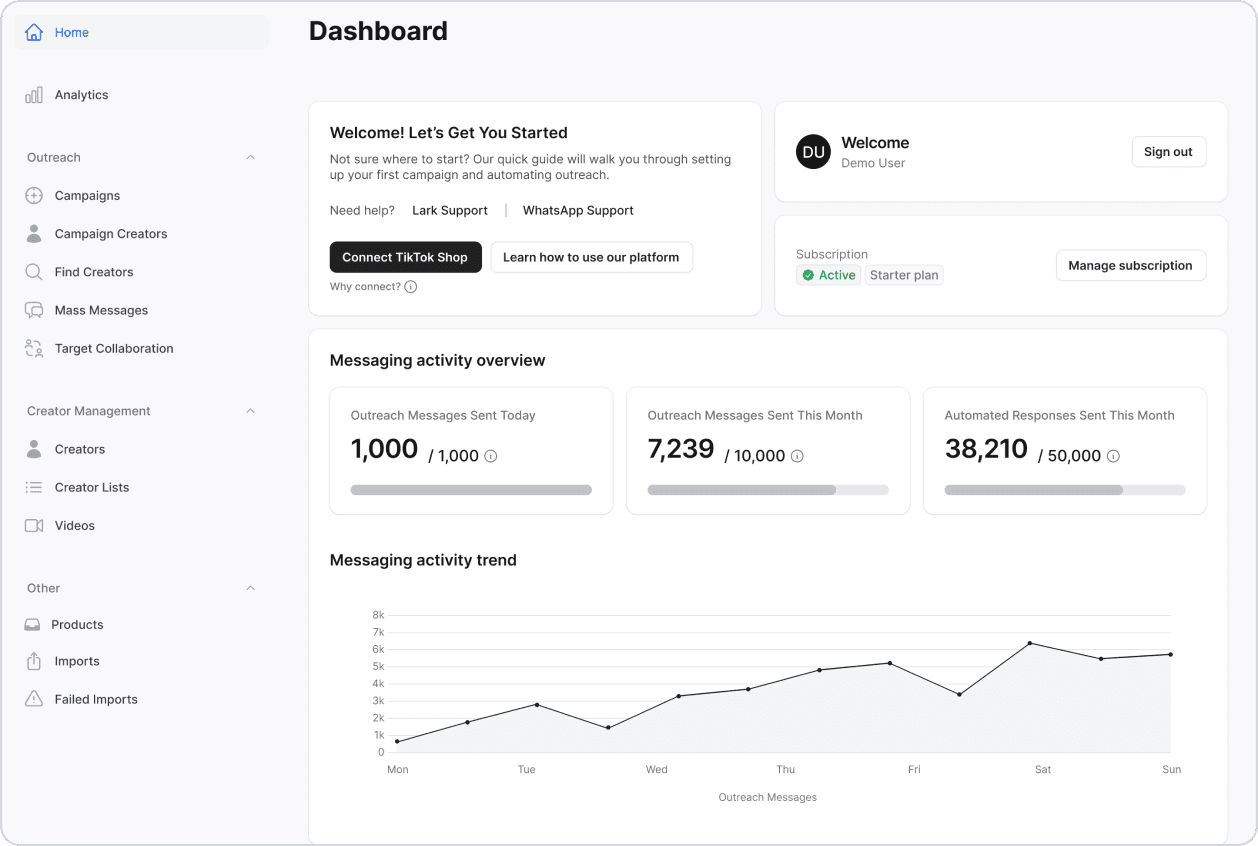
Familiar dashboard pattern
Easy to group related information
Not optimal for Filament’s layout constraints
B. Table layout(chosen)
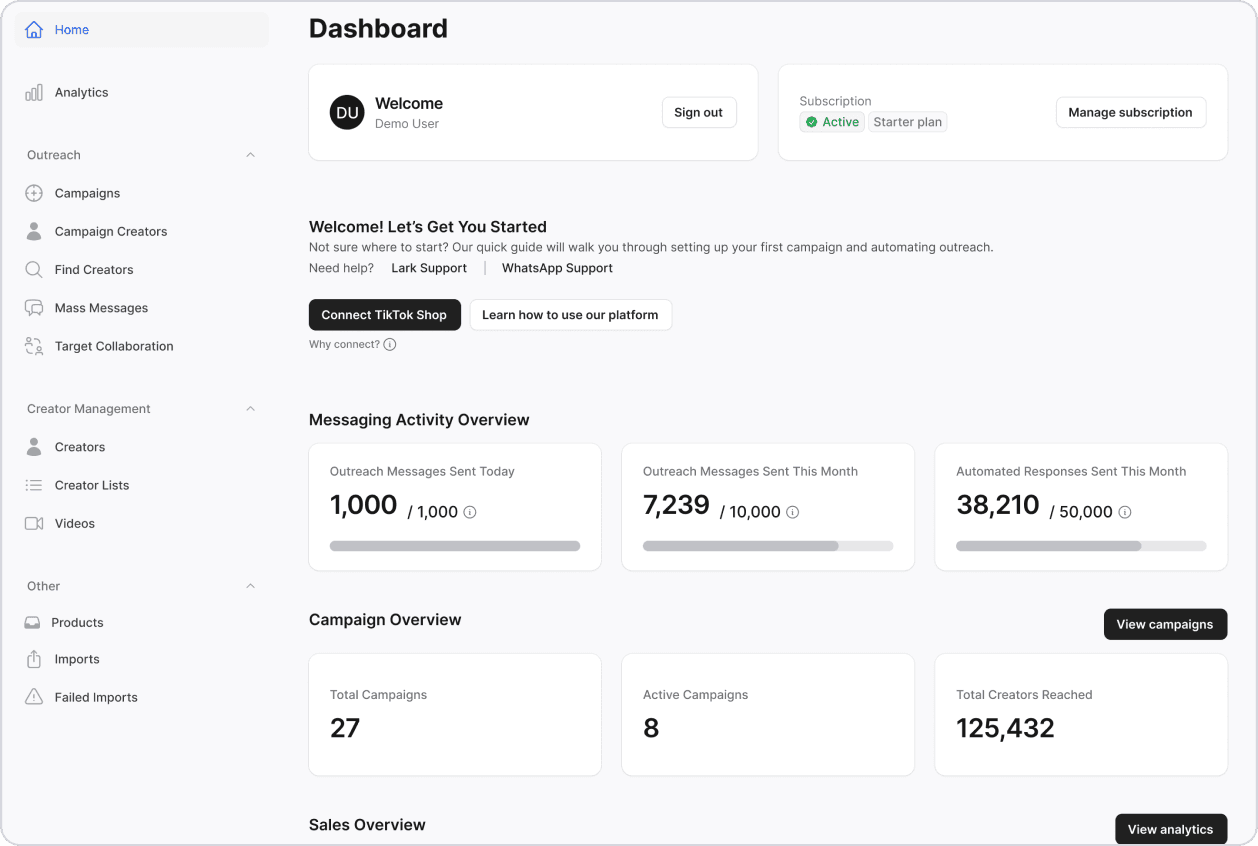
Compact, scannable, scalable
Works with Filament’s native UI
Easy row navigation + clear primary signals
💡Tables emphasize scannability
🔍
DESIGN EXPLORATION · 2
Turning invisible system limits into clear user actions
Mapping the rules behind message limits
Message limits were unpredictable because their rules were invisible. I mapped them into a simple decision tree based on:
Shop connection and subscription tier
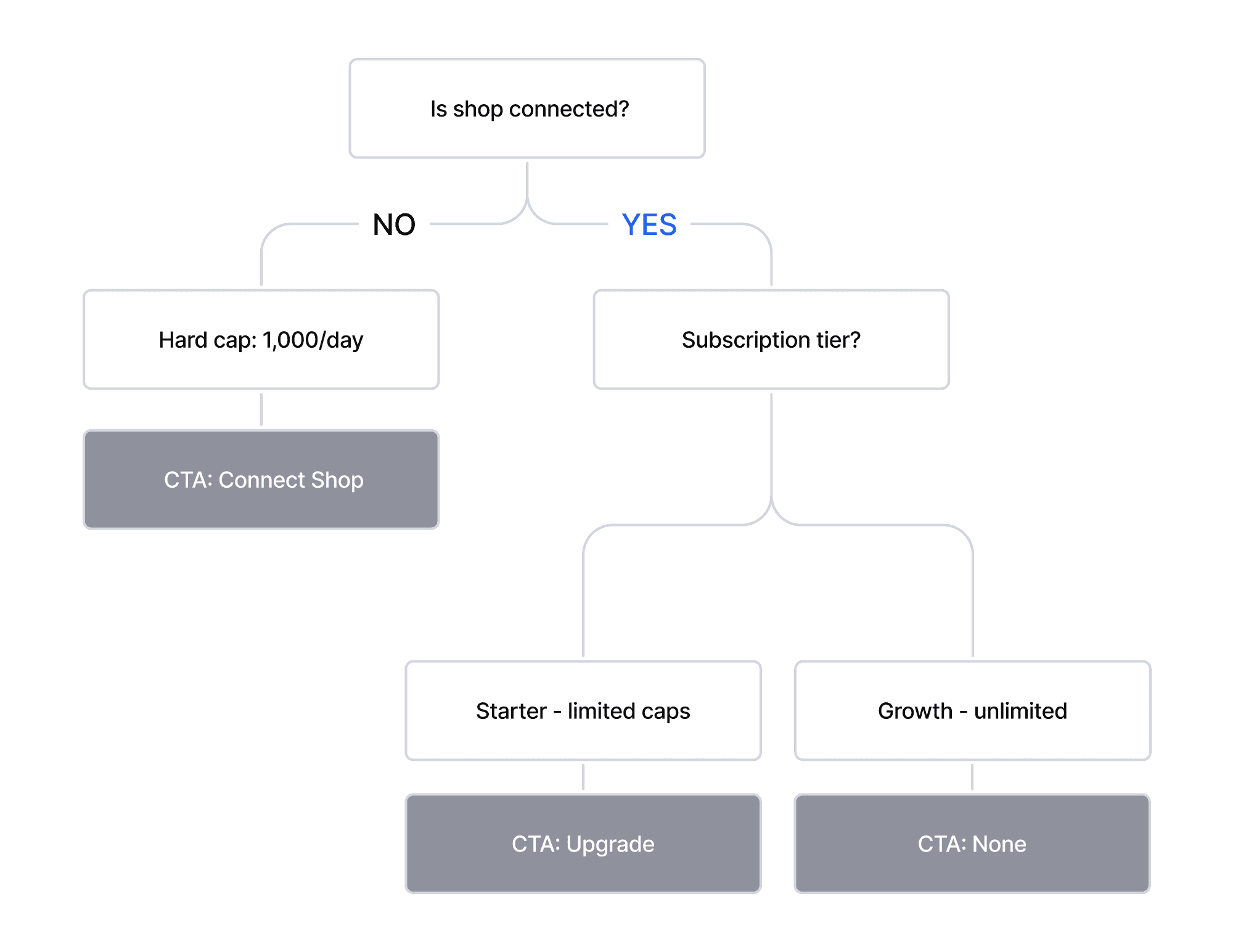
Translating system rules into user actions
Using the rule map, I clarified what each state should show, how users interpret it, and what action it should lead them to

Exploring right way to surface message limits
A. blocking modal

Forces immediate action but disrupts the user flow
Not suitable for a daily-use dashboard
B. global warning banner

Easy to notice but adds persistent visual noise
Users may ignore it over time
C. contextual status messages(chosen)

💡Surfaces information exactly where it matters
Guides the next step with minimal interruption
Lightweight, predictable, and easy to scan
Visual cues that clarify messaging limits
I applied consistent visual cues to help users instantly understand their messaging state and what to do next.
Semantic color system
Error
Warning
Info/Success

Applying semantic colors to clarify limits
Activity Bars
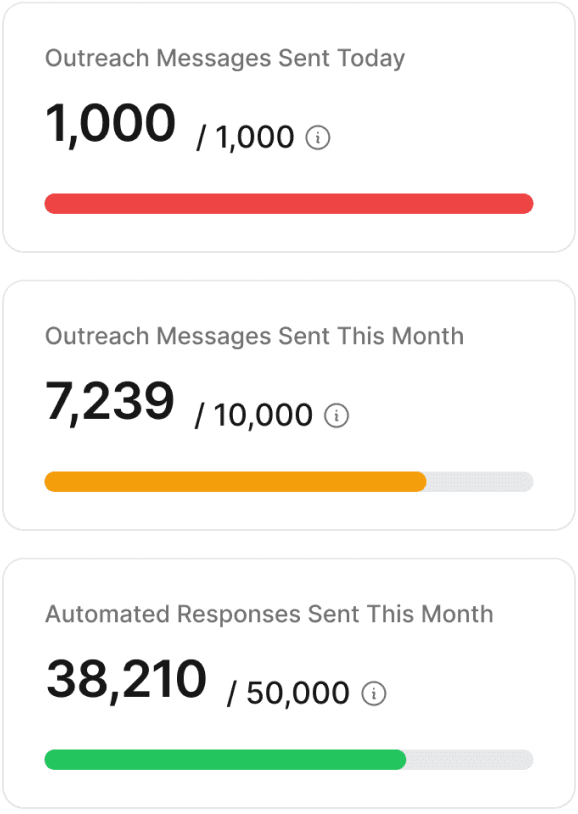
Red = limit reached
Yellow = approaching limit
Green = safe range
Inline Status Messages (state clarity)
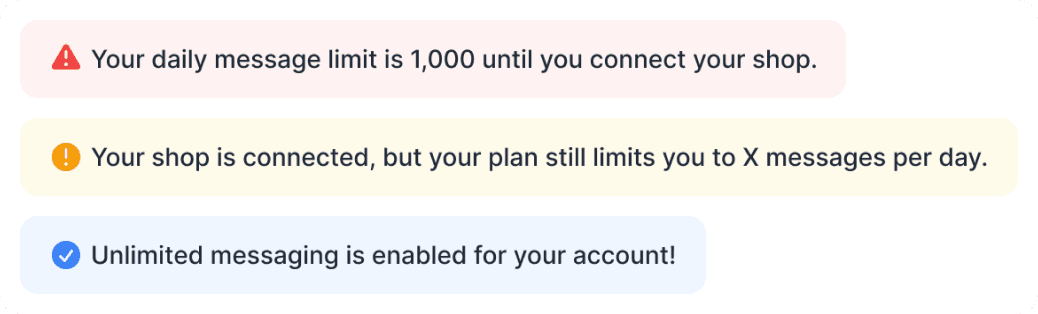
Consistently reuses semantic colors
Predictable and easy to scan
Evolved into contextual CTAs (action guidance)

💡 Turns each limit state into an immediate next step
Only surfaces when relevant
Converts confusion into guided action
🔍
DESIGN EXPLORATION · 3
Giving first-time users a clear onboarding starting point
Defining what new users need
I mapped first-time user needs into clear guidance categories, which shaped the CTA hierarchy in the onboarding area.

Exploring how to surface onboarding steps
A. blocking modal

Forces setup but interrupts browsing
High barrier to entry for new users
Blocks the free exploration of the dashboard
B. Progressive onboarding (lightweight modal with skip option + inline section)
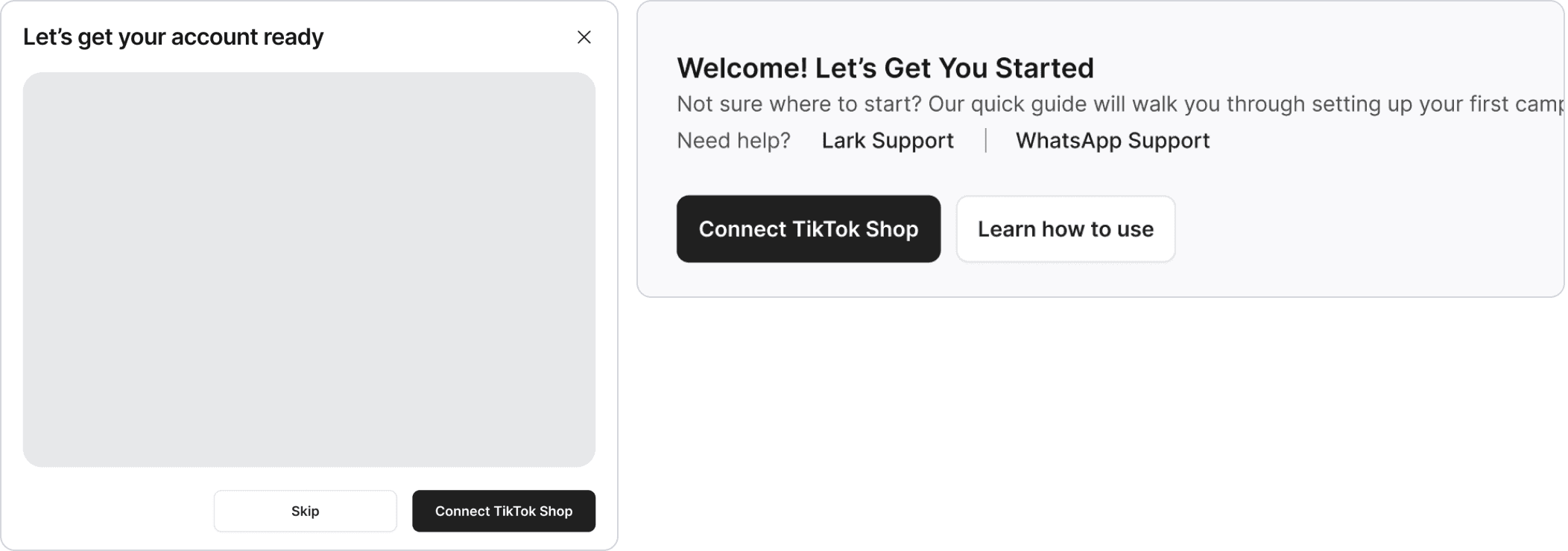
💡 Highlights the critical first action while offering low-friction guidance through a progressive inline flow
Offers dismiss / skip options that respect user autonomy
Avoids blocking users and supports a smoother, more flexible onboarding flow
Designing the CTA hierarchy for inline onboarding
I designed a state-based CTA hierarchy that shows users only the most relevant next action based on their status.
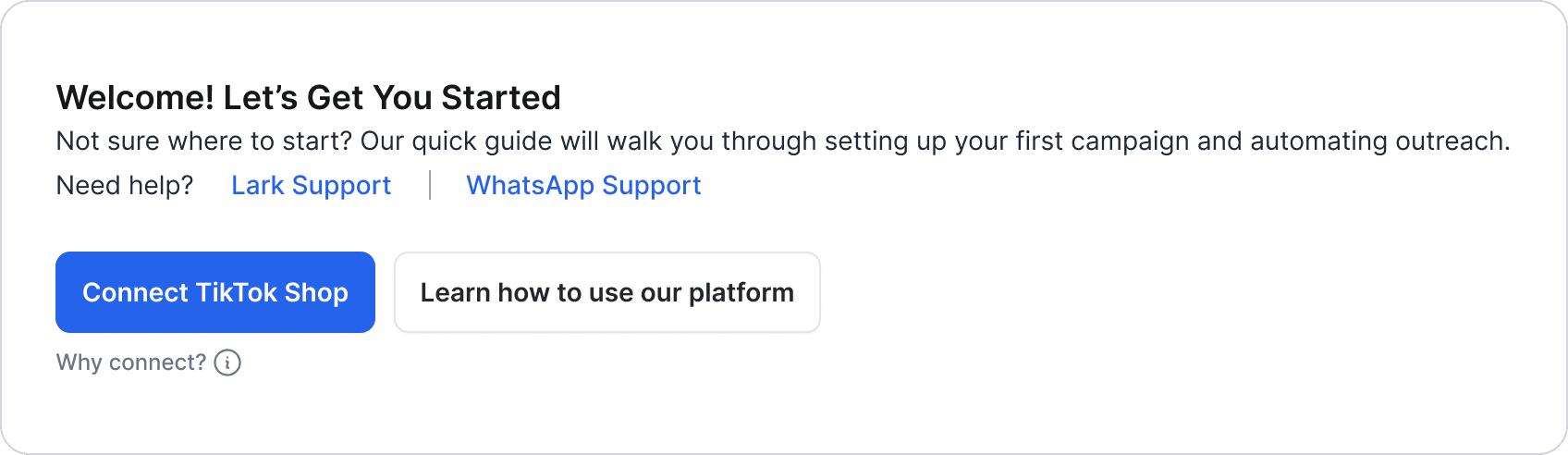
Logic behind CTA hierarchy


bot dashboard
Clarity first. Action next.
This 0→1 dashboard reduced confusion and improved user confidence through a clear, structured home

One place to manage everything
Users told us they felt noticeably more at ease and confident navigating their setup

Clearer next steps for onboarding
First-time users shared that the adaptive guidance tailored to their state made it much easier to get started
Predictable system behavior
Users shared that limits, warnings, and plan states finally felt understandable and actionable
What I learned

Start with the user’s mental flow
Understanding what users look for first (setup, next step, issues) helped shape a structure that felt intuitive and reduced confusion
Make system rules visible
Turning hidden rules like limits, plan states, and connection health into clear UI signals made the product feel more predictable and actionable
Tooling impacts user experience
Using an admin-focused UI framework made the product feel too backend-oriented for end